
Nano and Illumient Controller Settings
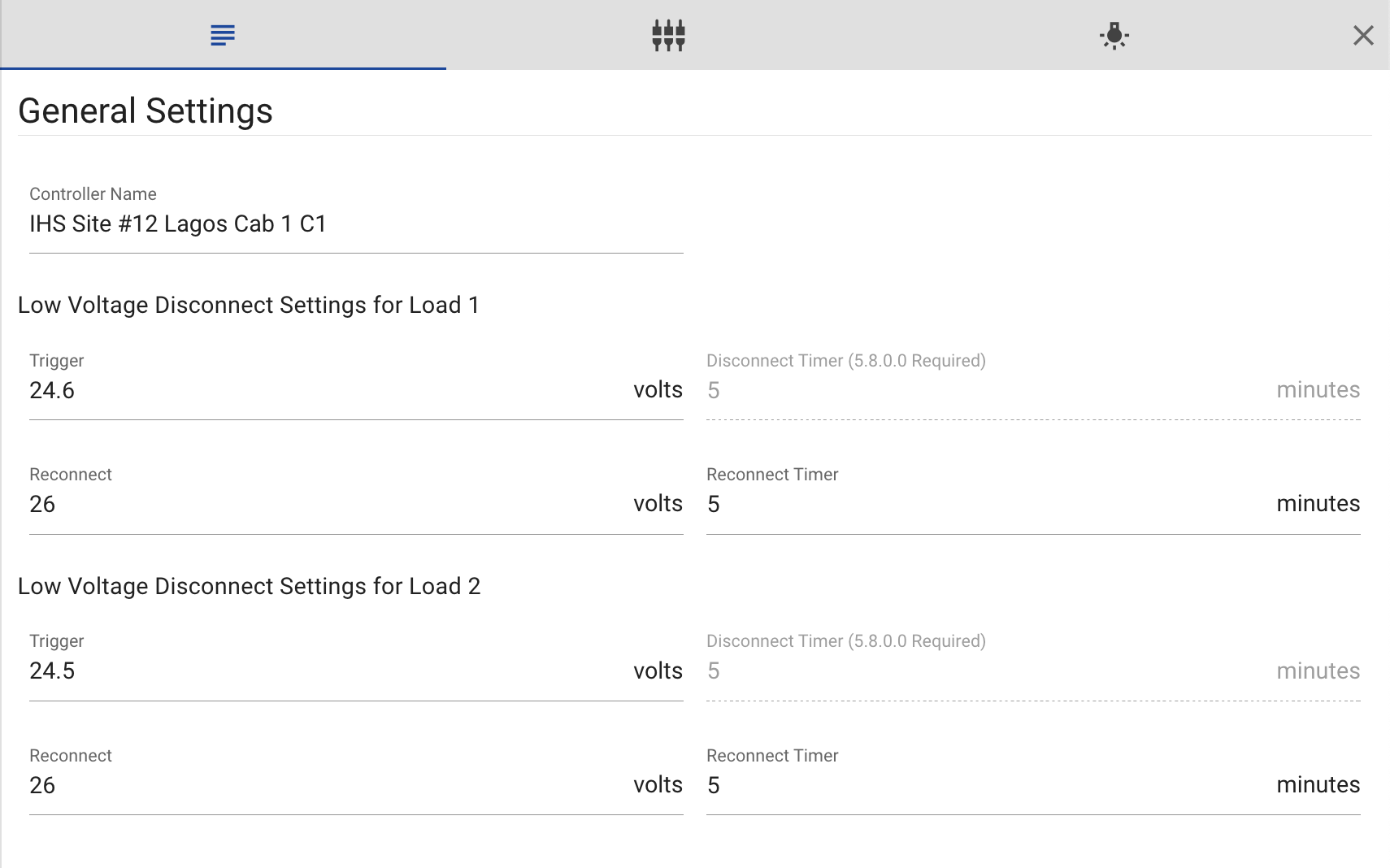
Controller settings are accessible from the main dashboard under the controllers menu.
ℹ️ Settings are only accessible for certain user permissions. Contact us to learn more.
General Settings
- Controller Name: This setting changes the name of the controller.
- Trigger: This setting determines the voltage threshold at which the low voltage disconnect (LVD) feature is activated. When the battery voltage drops below this threshold, the loads are disconnected as the battery cannot support them. The default value for 24V systems is set at 23V.
- Disconnect Timer: The disconnect timer determines the duration for which the controller continuously measures the battery voltage to confirm if it has truly reached the disconnect voltage. The default time is set at 5 minutes. After this duration, if the average voltage remains below the disconnect voltage, the loads will be disconnected.
- Reconnect: This setting specifies the voltage at which the loads are reconnected after the battery has reached a voltage level where it can support them again. The default value for 24V systems is set at 26V.
- Reconnect Timer: The reconnect timer determines how long the controller will measure the voltage of the battery to determine if it has really reached the reconnect voltage. The default is 5 minutes. This means that after 5 minutes, if the average voltage has been above the reconnect voltage, then the loads will be reconnected.
Port Configuration
Under Port Configurations, the user will have the ability to rename the labels of the various power inputs and load outputs. Any of the labels that have been renamed in Port Configuration will now be utilized for all charts, reports and alarms for this system.
Load Profile Settings
Under load profile you will have the option to configure the load to be always on or use either a custom or public load profile. Load Profiles are often used for lighting systems that require dimming or motion. Always on loads are load that remain on unless it is schedule to turn off, for more information on why and how loads are scheduled to turn off, see Nano-Grid Energy Management.
Load Test Settings
If the load profile is set to always on then there is an option to change the load test settings.
- Load Reboot Duration: Determines the duration for which the controller waits to start up the load port after turning it off.
- Load LVD Override Duration: Determines how long the voltage will be overriden until it will be set back to the original voltage.
- Load LVD Override Voltage: Determines the voltage at which the LVD setting will be overridden to for the duration of the test.
- LVD2 Override Voltage: Determines the voltage at which the LVD2 setting will be overridden to for the duration of the test. For more information on LVD2, contact Clear Blue.