
Table Layout
There are two options for the table layout, simple and advanced.
ℹ️ The default layout can be changed in your preferences.
Simple Table Layout
The simple table layout has statuses that show whether the controller is online or offline. If it is online it will also show whether the controller is All Good, in Commissioning, in Maintenance or has Faults. If the controller is All Good then your system doesn't have any faults and should be fully operational. If the controller is in Commissioning then it has not yet communicated with Illumience. Once it does, it will then be taken out of commissioning. Finally, if the controller has any faults, you can hover over for it to specify which port has what fault.
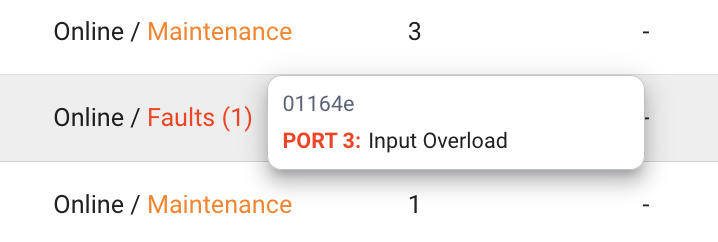
For more information on the types of fault statuses that can occur, see Statuses.
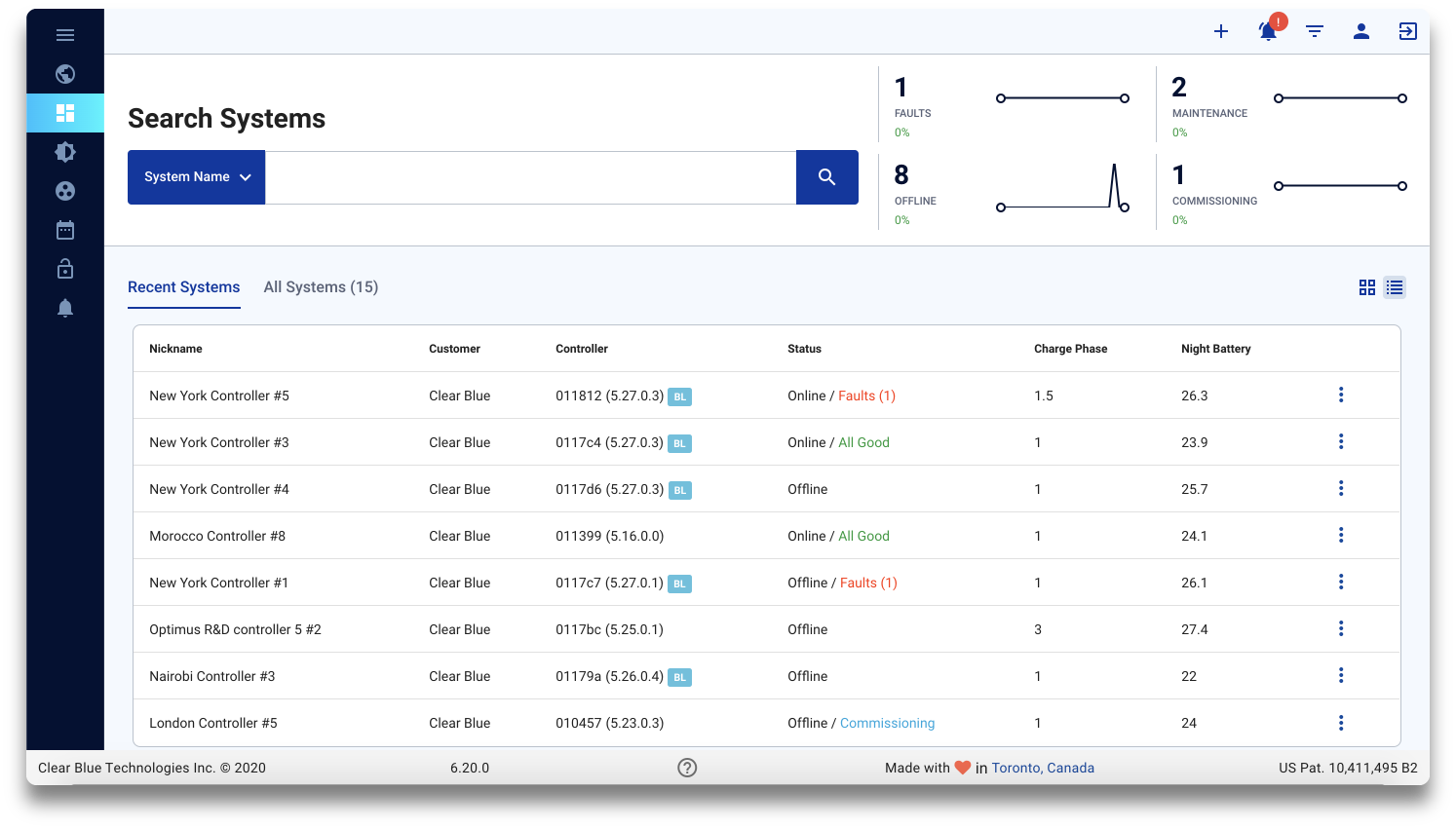
The simple table layout is a quick summary of the system name, company, MAC address, system status, charge phase, and night battery voltage.
Advanced Table Layout
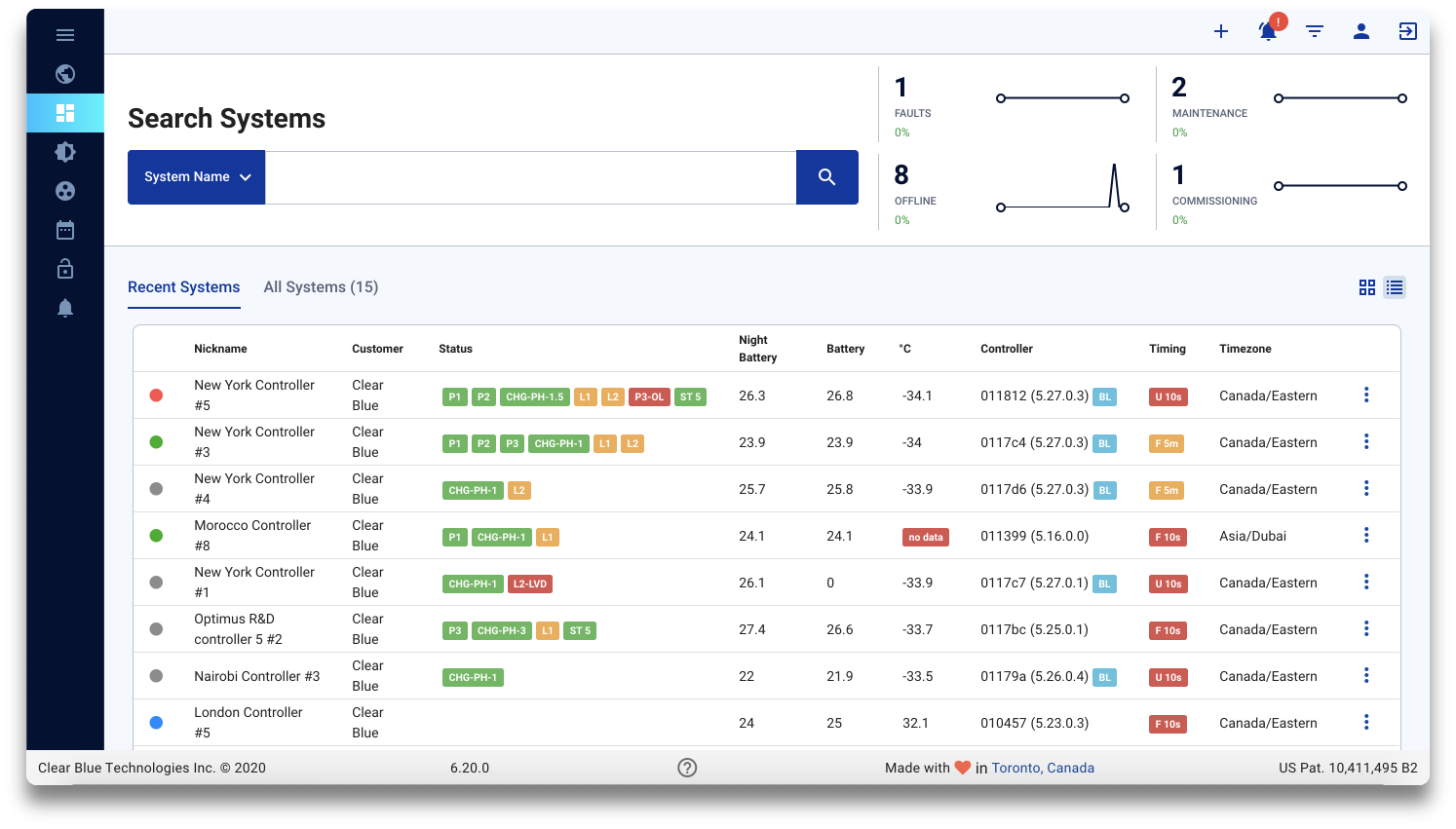
The advanced table layout shows the same information as the simple table layout plus night battery voltage, temperature and the statuses on the table in an abbreviated form. It also shows whether the controller is online, with alerts, offline, or in commissioning, by the dots on the far left hand side
You can change between the table and grid layout by clicking the  button.