Consumption
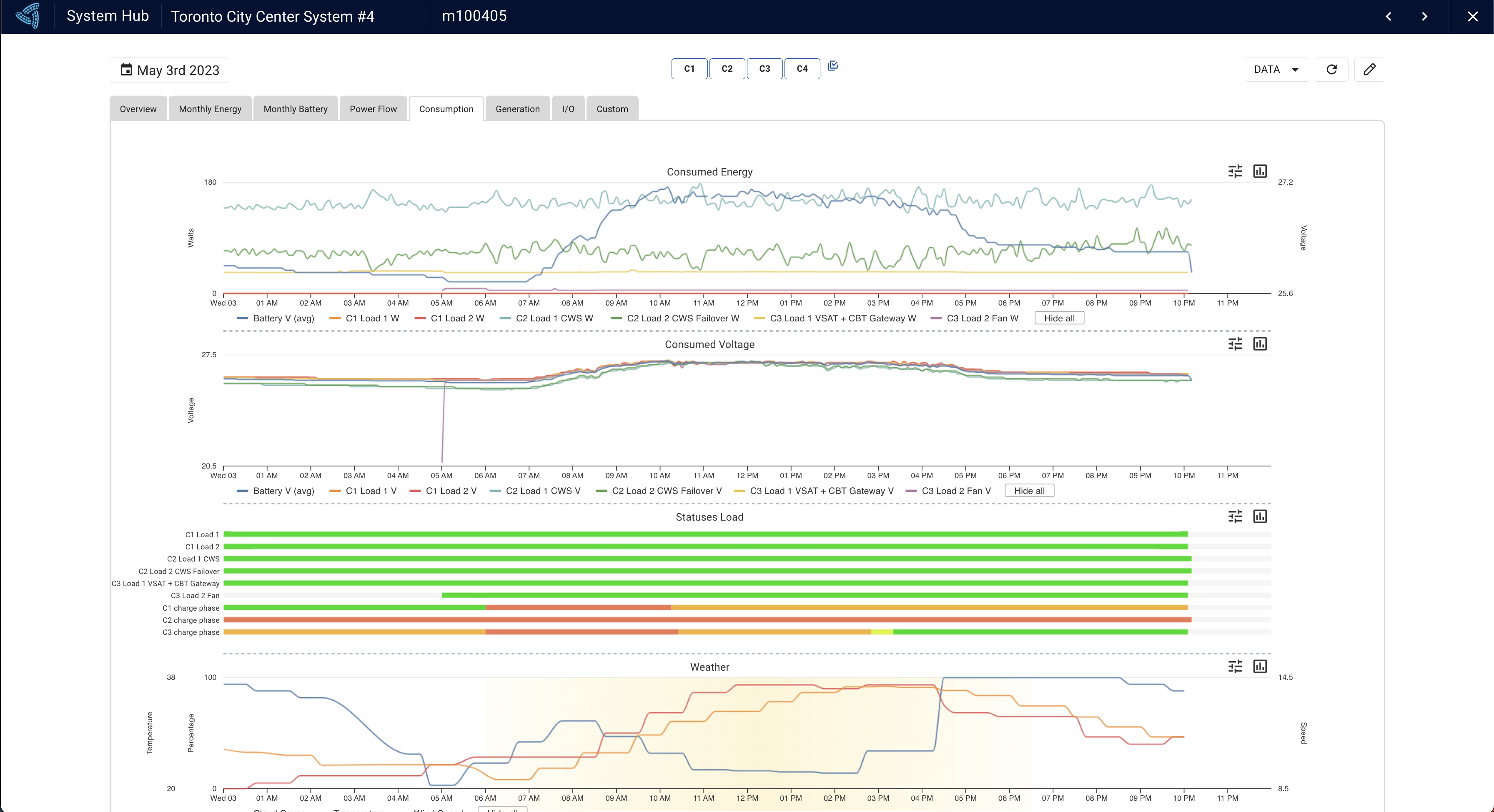
The Consumption Hub provides valuable insights into load consumption trends, enabling you to monitor energy usage throughout the day. For instance, if you are powering a BTS telecom device, you can track how consumption fluctuates as more or fewer people use the network. Similarly, if you are using a light with a motion detector, you can see when activity is highest during the evening, and how it impacts load consumption. By analyzing these trends, you can optimize your energy usage, reduce costs, and ensure that your system operates efficiently. The Consumption Hub is an essential tool for monitoring load consumption and ensuring that your energy usage is optimized for your needs.
Port Statuses
In addition to tracking load consumption trends, the Consumption Hub will show issues that have been experienced by the load port. By analyzing these statuses, you can identify potential issues and take action to prevent future outages. The ability to track and monitor unexpected outages is a valuable feature of the Consumption Hub, as it helps ensure that your system remains reliable and operates at peak efficiency. Statuses you could see are low voltage disconnect (LVD), short circuit (SC) or output overload (OL), all of which would result in the load port being disabled.
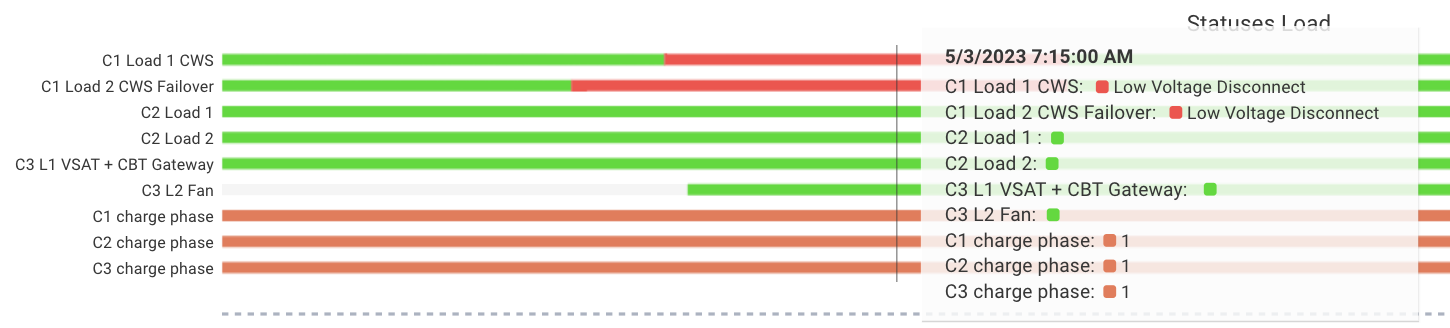
If, during the time period that the controller is sending data up (10s, 5min, 15min etc), the port was both enabled as well as disabled due to the fault then it will show up purple.
